
 Image 1 of 1
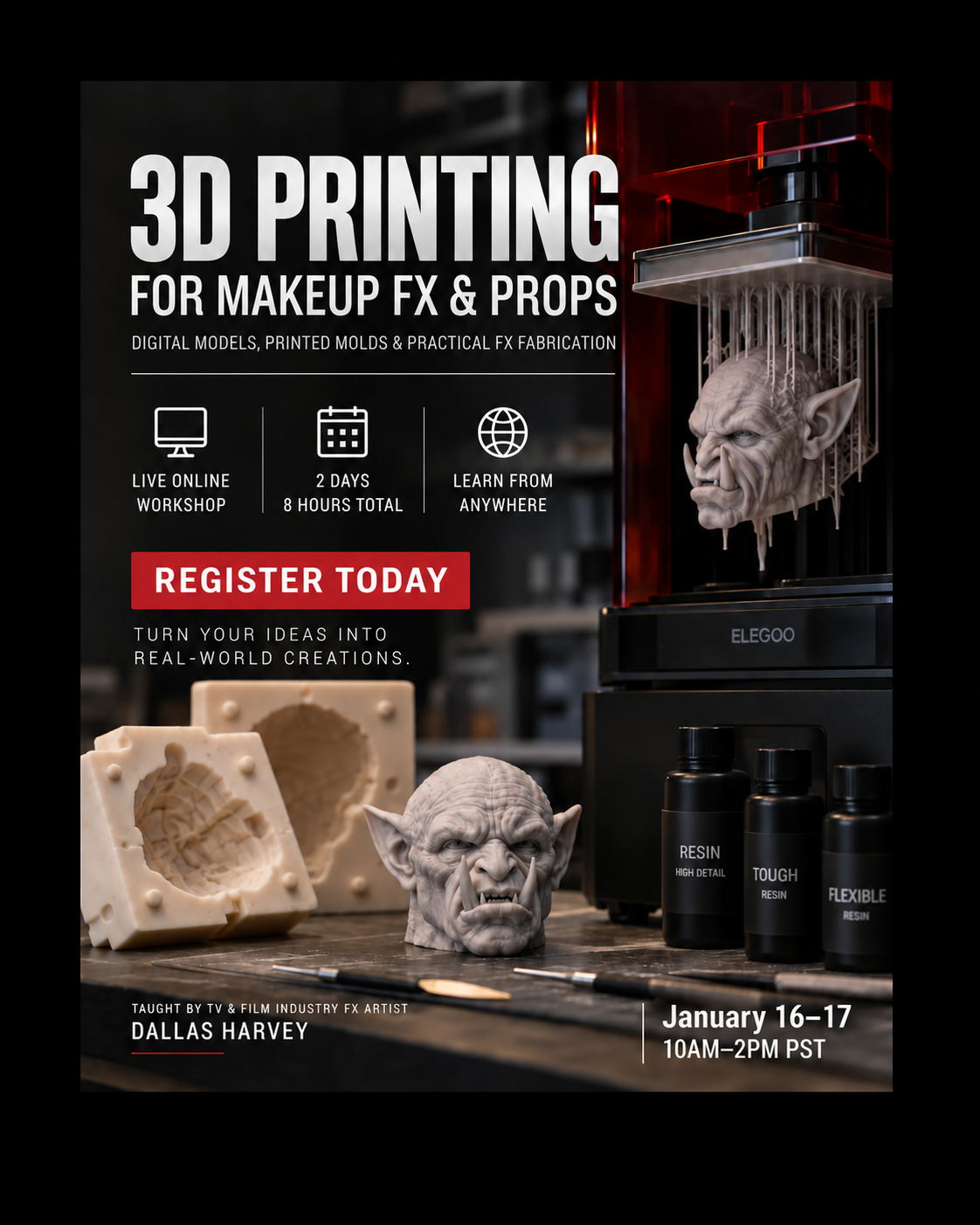
3D Printing for Makeup FX & Props - Click Image For Course Details
Digital Models, Printed Molds & Practical FX Fabrication
2-Day Live Online Workshop | 4 Hours Per Day | 8 Hours Total
Dates: Saturday, January 16th & Sunday, January 17th, 2027
Course Details
Format: Live Online Workshop
Duration: 2 Days / 4 Hours Per Day
Total Instruction: 8 Hours
Experience Level: Beginner to Intermediate
Focus: Resin 3D Printing, Makeup FX, Prosthetics, Mold Making & Props
Designed For: Makeup FX Artists, Prosthetic Artists, Mold Makers, Creature Artists, Prop Makers & Practical Effects Fabricators
Live Online Training via Zoom
This course will be taught live online through Zoom, allowing students to participate from anywhere.
Learn how to bring digital 3D models into the real-world workflows of professional makeup effects, prosthetics, mold making, creature fabrication, lifecasting and prop building. This intensive two-day online workshop covers the complete resin 3D printing process, from preparing and repairing digital files through slicing, printer setup, supports, troubleshooting, post-processing, finishing and creating 3D printed molds.
Designed specifically for makeup FX artists, prosthetic artists, mold makers and prop builders, the course focuses on how resin 3D printing can become part of a practical FX shop workflow. Because the workshop is taught live online, you can participate from anywhere. Follow along step-by-step on your own tablet or computer, or simply watch the demonstrations and take notes. Each session also includes a live interactive Q&A with instructor Dallas Harvey.
Day 1: Digital Model to Resin 3D Print
Understanding 3D models, meshes, polygons and resolution
STL, OBJ and common 3D print file formats
Working with downloaded and pre-made 3D models
Preparing original Nomad Sculpt, ZBrush and scanned models
Preparing 3D scans and lifecast scans for printing
Cleaning and repairing damaged geometry
Checking watertight and printable geometry
Scaling models accurately
Wall thickness, tolerances and mechanical fit
Hollowing models and adding drainage holes
Dividing larger models into printable sections
Creating registration systems for multi-part prints
Designing specifically for resin 3D printing
Understanding slicing software
Layer height and print resolution
Print orientation
Automatic vs. manual supports
Light, medium and heavy supports
Recognizing unsupported islands
Reducing support marks on important surfaces
Resin printer setup and calibration
Build plate preparation and leveling
Resin vats and release films
Exposure settings
Choosing resin for FX applications
Standard, tough, flexible and high-detail resins
Preparing and starting a resin print
Estimating print time and resin usage
Diagnosing failed prints
Troubleshooting support, adhesion, warping and separation problems
Day 2: Post-Processing, Finishing & Printed Molds
Safely removing resin prints from the printer
Protecting the build plate and finished print
Removing supports without damaging detail
Heat-assisted support removal
Cleaning support contact points
Washing and cleaning resin prints
Cleaning hollow prints and internal cavities
Drainage and trapped resin
Drying prints before curing
UV curing
Proper cure times
Avoiding under-curing and over-curing
Identifying print defects and surface problems
Repairing holes, seams and damaged details
UV resin repair
Epoxy, fillers and spot putty
Joining multi-part resin prints
Blending seams
Reconstructing missing details
Sanding resin prints
Removing layer lines and support marks
Progressive surface refinement
Priming and surface preparation
Sealing prints for mold making
Preparing prints for silicone, plaster, Ultracal, epoxy and polyurethane
Mold release and surface compatibility
Preventing silicone inhibition
Painting and airbrushing finished prints
Weathering and surface detailing
Matte, satin and gloss finishes
3D Printed Mold Design for Makeup FX
Learn how resin 3D printing can be used to create professional molds and mold components for prosthetic makeup and practical FX fabrication.
Understanding positive and negative mold geometry
Mold walls
Cutting edges
Bleed areas and flashing
Registration keys
Pour points and air vents
Mold thickness and strength
Designing molds for casting materials
Creating a one-part mold in Nomad Sculpt
Preparing the digital sculpture
Creating the mold block
Boolean subtraction
Creating the negative mold cavity
Cleaning Boolean geometry
Adding mold walls and registration details
Creating a two-part mold in Nomad Sculpt
Determining the parting line
Dividing the mold
Positive and negative registration keys
Bolt holes and mechanical registration
Pour spouts and air vents
Testing mold alignment
Exporting individual mold sections for printing
Prosthetic Mold Applications
Flat molds
Silicone prosthetic molds
Two-part compression molds
Encapsulated silicone prosthetic molds
Cutting-edge design
Overflow channels
Injection and pour points
Registration systems
FX & Prop Applications
Learn how resin 3D printing can be incorporated into workflows for:
Prosthetic makeup molds
Silicone prosthetics
Lifecast positives
Head and face forms
Prosthetic sculpture bases
Creature sculptures
Creature components
Anatomy props
Body duplication
Dental FX components
Puppet parts
Armatures and small mechanical components
Mold components
Small props
Production prototypes
Custom FX tools and fabrication components
Digital-to-Practical FX Workflows
Explore how digital tools and resin printing can integrate with traditional practical effects techniques:
3D Scan → Digital Sculpt → Resin Printed Positive → Traditional Mold
3D Scan → Digital Sculpt → Digital Mold → Resin Printed Mold → Silicone Prosthetic
Digital Creature Design → Resin Print → Mold → Silicone Casting
Lifecast Scan → Digital Cleanup → Resin Print → Prosthetic Sculpture Base
Additional Topics
Choosing your first resin 3D printer
Choosing an appropriate printer size for FX work
Selecting resin for molds, props and FX fabrication
Essential printer tools and accessories
Resin storage
Printer maintenance
Replacing release films
Build plate maintenance
Safe resin handling
Ventilation and PPE
Disposal of resin and contaminated materials
Organizing digital print files
Archiving production assets
Estimating resin cost
Estimating material usage
Calculating print time
When 3D printing is faster than traditional fabrication
When traditional fabrication is still the better choice
Learn Your Way: Follow Along or Just Watch
This live online workshop is designed to work with different learning styles.
Follow along live with demonstrations on your own tablet or computer
Watch and take notes without having to complete every step in real time
Participate from anywhere in the world with an internet connection
Join a live interactive Q&A after each session with Dallas Harvey
Ask questions about your own prints, molds and FX projects
Troubleshoot digital and printing workflows directly with the instructor
Ready to add resin 3D printing to your makeup FX or prop workflow? Register now and learn the complete process from digital model to finished print.
Digital Models, Printed Molds & Practical FX Fabrication
2-Day Live Online Workshop | 4 Hours Per Day | 8 Hours Total
Dates: Saturday, January 16th & Sunday, January 17th, 2027
Course Details
Format: Live Online Workshop
Duration: 2 Days / 4 Hours Per Day
Total Instruction: 8 Hours
Experience Level: Beginner to Intermediate
Focus: Resin 3D Printing, Makeup FX, Prosthetics, Mold Making & Props
Designed For: Makeup FX Artists, Prosthetic Artists, Mold Makers, Creature Artists, Prop Makers & Practical Effects Fabricators
Live Online Training via Zoom
This course will be taught live online through Zoom, allowing students to participate from anywhere.
Learn how to bring digital 3D models into the real-world workflows of professional makeup effects, prosthetics, mold making, creature fabrication, lifecasting and prop building. This intensive two-day online workshop covers the complete resin 3D printing process, from preparing and repairing digital files through slicing, printer setup, supports, troubleshooting, post-processing, finishing and creating 3D printed molds.
Designed specifically for makeup FX artists, prosthetic artists, mold makers and prop builders, the course focuses on how resin 3D printing can become part of a practical FX shop workflow. Because the workshop is taught live online, you can participate from anywhere. Follow along step-by-step on your own tablet or computer, or simply watch the demonstrations and take notes. Each session also includes a live interactive Q&A with instructor Dallas Harvey.
Day 1: Digital Model to Resin 3D Print
Understanding 3D models, meshes, polygons and resolution
STL, OBJ and common 3D print file formats
Working with downloaded and pre-made 3D models
Preparing original Nomad Sculpt, ZBrush and scanned models
Preparing 3D scans and lifecast scans for printing
Cleaning and repairing damaged geometry
Checking watertight and printable geometry
Scaling models accurately
Wall thickness, tolerances and mechanical fit
Hollowing models and adding drainage holes
Dividing larger models into printable sections
Creating registration systems for multi-part prints
Designing specifically for resin 3D printing
Understanding slicing software
Layer height and print resolution
Print orientation
Automatic vs. manual supports
Light, medium and heavy supports
Recognizing unsupported islands
Reducing support marks on important surfaces
Resin printer setup and calibration
Build plate preparation and leveling
Resin vats and release films
Exposure settings
Choosing resin for FX applications
Standard, tough, flexible and high-detail resins
Preparing and starting a resin print
Estimating print time and resin usage
Diagnosing failed prints
Troubleshooting support, adhesion, warping and separation problems
Day 2: Post-Processing, Finishing & Printed Molds
Safely removing resin prints from the printer
Protecting the build plate and finished print
Removing supports without damaging detail
Heat-assisted support removal
Cleaning support contact points
Washing and cleaning resin prints
Cleaning hollow prints and internal cavities
Drainage and trapped resin
Drying prints before curing
UV curing
Proper cure times
Avoiding under-curing and over-curing
Identifying print defects and surface problems
Repairing holes, seams and damaged details
UV resin repair
Epoxy, fillers and spot putty
Joining multi-part resin prints
Blending seams
Reconstructing missing details
Sanding resin prints
Removing layer lines and support marks
Progressive surface refinement
Priming and surface preparation
Sealing prints for mold making
Preparing prints for silicone, plaster, Ultracal, epoxy and polyurethane
Mold release and surface compatibility
Preventing silicone inhibition
Painting and airbrushing finished prints
Weathering and surface detailing
Matte, satin and gloss finishes
3D Printed Mold Design for Makeup FX
Learn how resin 3D printing can be used to create professional molds and mold components for prosthetic makeup and practical FX fabrication.
Understanding positive and negative mold geometry
Mold walls
Cutting edges
Bleed areas and flashing
Registration keys
Pour points and air vents
Mold thickness and strength
Designing molds for casting materials
Creating a one-part mold in Nomad Sculpt
Preparing the digital sculpture
Creating the mold block
Boolean subtraction
Creating the negative mold cavity
Cleaning Boolean geometry
Adding mold walls and registration details
Creating a two-part mold in Nomad Sculpt
Determining the parting line
Dividing the mold
Positive and negative registration keys
Bolt holes and mechanical registration
Pour spouts and air vents
Testing mold alignment
Exporting individual mold sections for printing
Prosthetic Mold Applications
Flat molds
Silicone prosthetic molds
Two-part compression molds
Encapsulated silicone prosthetic molds
Cutting-edge design
Overflow channels
Injection and pour points
Registration systems
FX & Prop Applications
Learn how resin 3D printing can be incorporated into workflows for:
Prosthetic makeup molds
Silicone prosthetics
Lifecast positives
Head and face forms
Prosthetic sculpture bases
Creature sculptures
Creature components
Anatomy props
Body duplication
Dental FX components
Puppet parts
Armatures and small mechanical components
Mold components
Small props
Production prototypes
Custom FX tools and fabrication components
Digital-to-Practical FX Workflows
Explore how digital tools and resin printing can integrate with traditional practical effects techniques:
3D Scan → Digital Sculpt → Resin Printed Positive → Traditional Mold
3D Scan → Digital Sculpt → Digital Mold → Resin Printed Mold → Silicone Prosthetic
Digital Creature Design → Resin Print → Mold → Silicone Casting
Lifecast Scan → Digital Cleanup → Resin Print → Prosthetic Sculpture Base
Additional Topics
Choosing your first resin 3D printer
Choosing an appropriate printer size for FX work
Selecting resin for molds, props and FX fabrication
Essential printer tools and accessories
Resin storage
Printer maintenance
Replacing release films
Build plate maintenance
Safe resin handling
Ventilation and PPE
Disposal of resin and contaminated materials
Organizing digital print files
Archiving production assets
Estimating resin cost
Estimating material usage
Calculating print time
When 3D printing is faster than traditional fabrication
When traditional fabrication is still the better choice
Learn Your Way: Follow Along or Just Watch
This live online workshop is designed to work with different learning styles.
Follow along live with demonstrations on your own tablet or computer
Watch and take notes without having to complete every step in real time
Participate from anywhere in the world with an internet connection
Join a live interactive Q&A after each session with Dallas Harvey
Ask questions about your own prints, molds and FX projects
Troubleshoot digital and printing workflows directly with the instructor
Ready to add resin 3D printing to your makeup FX or prop workflow? Register now and learn the complete process from digital model to finished print.